01 The Engine 02 FaceGate 03 Photos 04 The Studio 05 Run the night 06 Pricing
search
Chapter 04 / 06 · The Studio

The unglamorous half of the job, done for you.

Culling, colour, invites, client sign-off, the crew roster — the back-office every shoot drags behind it. Studionity runs it for weddings and sangeets, and just as well for corporate summits, conferences, expos & fairs, college fests, launches and birthdays.

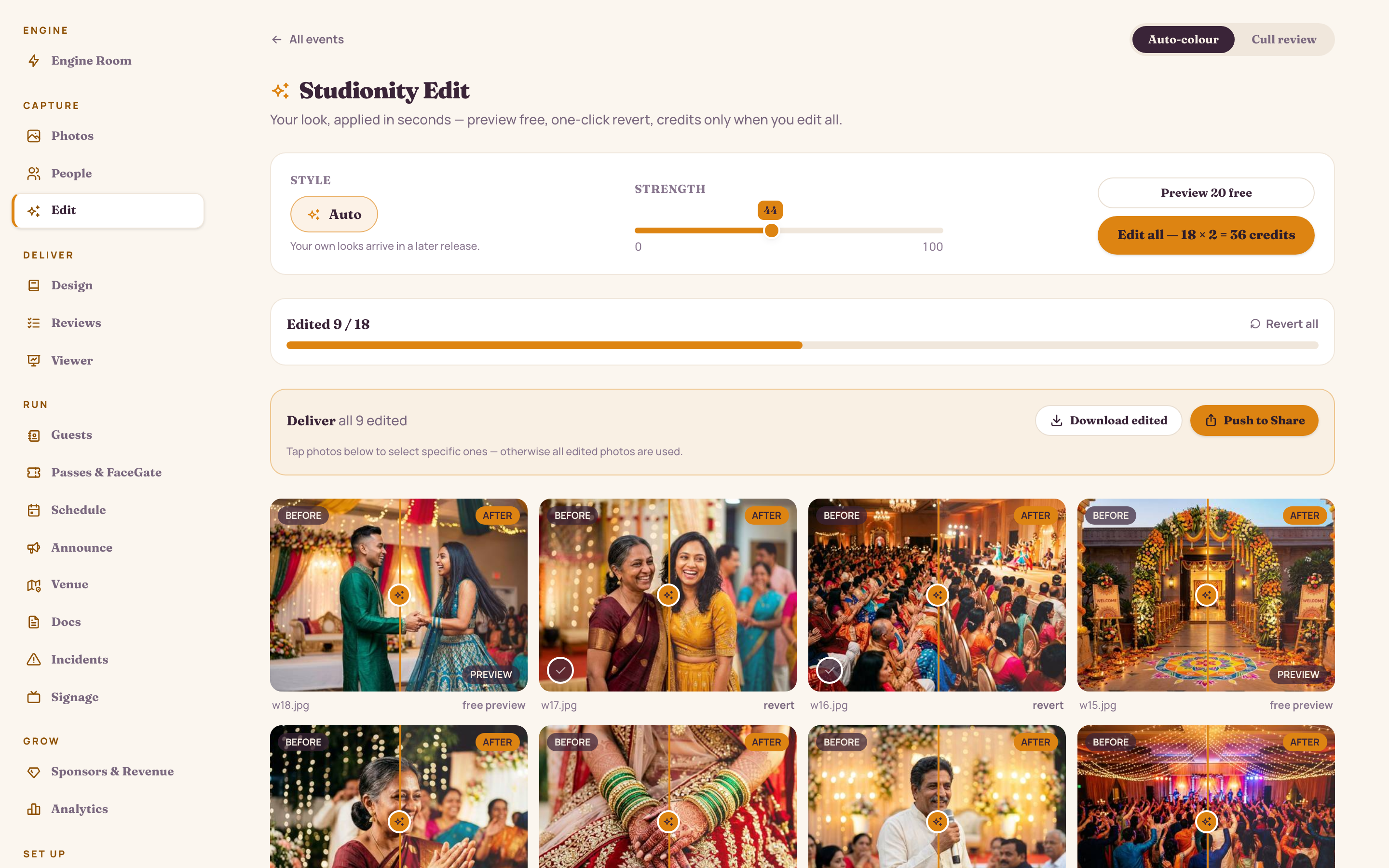
Post · Cull & colour

Cull the night, colour it once.

The engine pre-sorts every frame into keepers, maybes and rejects — blurred shots, closed eyes, duplicates and test frames pulled aside before you open the folder. Then one look colours all your keepers in a single pass, no per-photo sliders.

  • AI cull sorts keepers, maybes and rejects — you just confirm the piles
  • One-pass auto-colour: Warm reception, True-to-skin or Editorial, saved as your house look
  • Preview on a free sample before anything is billed
  • Nothing is ever destroyed — revert any photo to its clean original
app.studionity.com
Edit workspace: auto-colour applied across every keeper photo, with the cull board sorting keepers, maybes and rejects
Edit — auto-colour across every keeper, culled into three piles; charged once per photo, idempotent.

Deliver · Design

Invites, book and guest page — from one event.

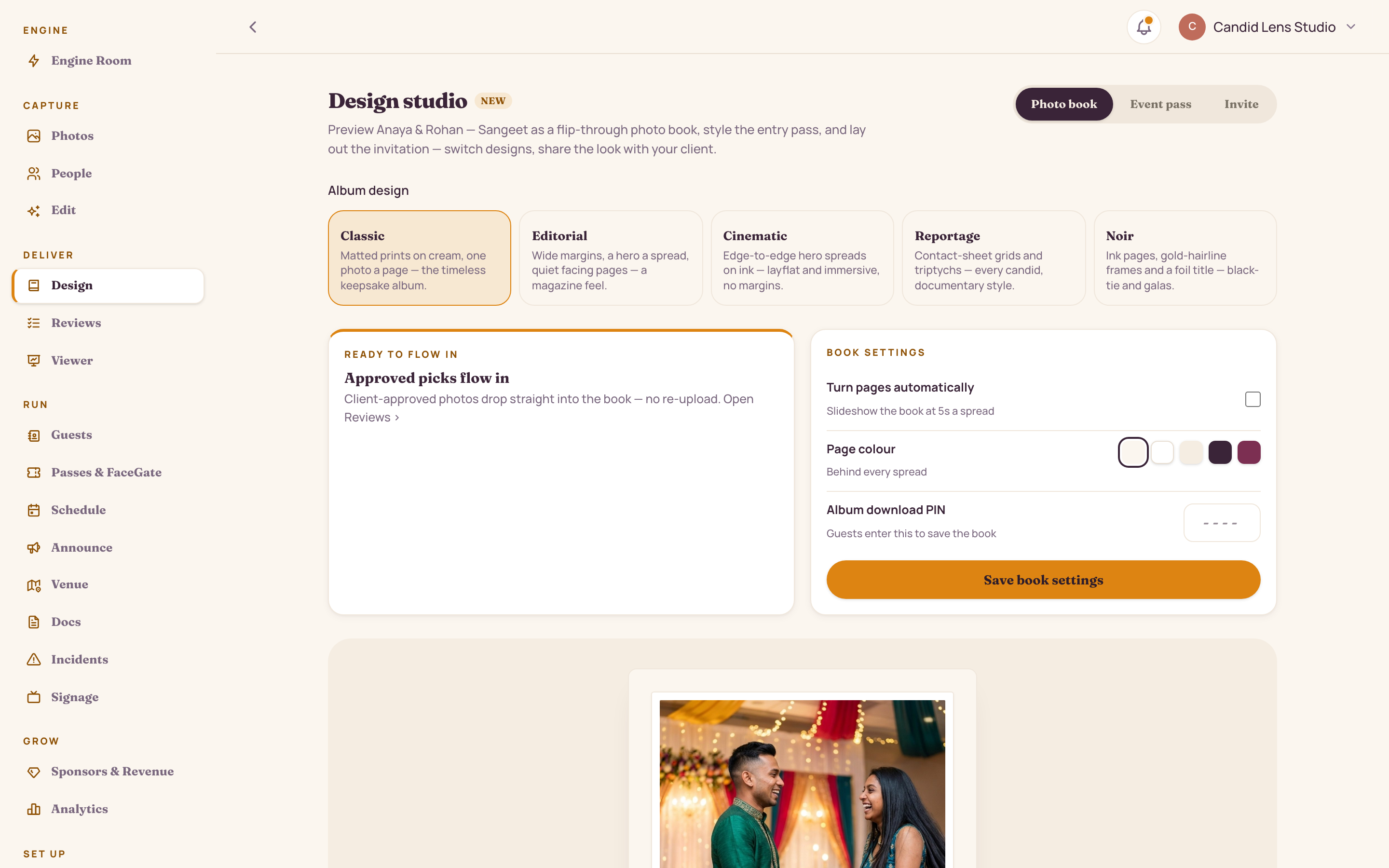
Design pulls straight from your keepers, so nothing gets re-uploaded. Pick an invite mood, lay out the photo book, publish the guest landing page — all off the same night.

  • Three invite moods — Marigold Garland, Modern Plum, Gold Leaf — same names, same details
  • A drag-and-drop photo book that auto-flows from approved picks
  • A guest landing page on your own link, with RSVP and pass built in
app.studionity.com
Design studio: invite template picker showing three moods — Marigold Garland, Modern Plum and Gold Leaf — with the same guest names
Design studio — three invite moods, one set of guest names, pulling from 214 keepers.
Deliver · Design · The invite editor

Every word yours. The engine keeps it legible.

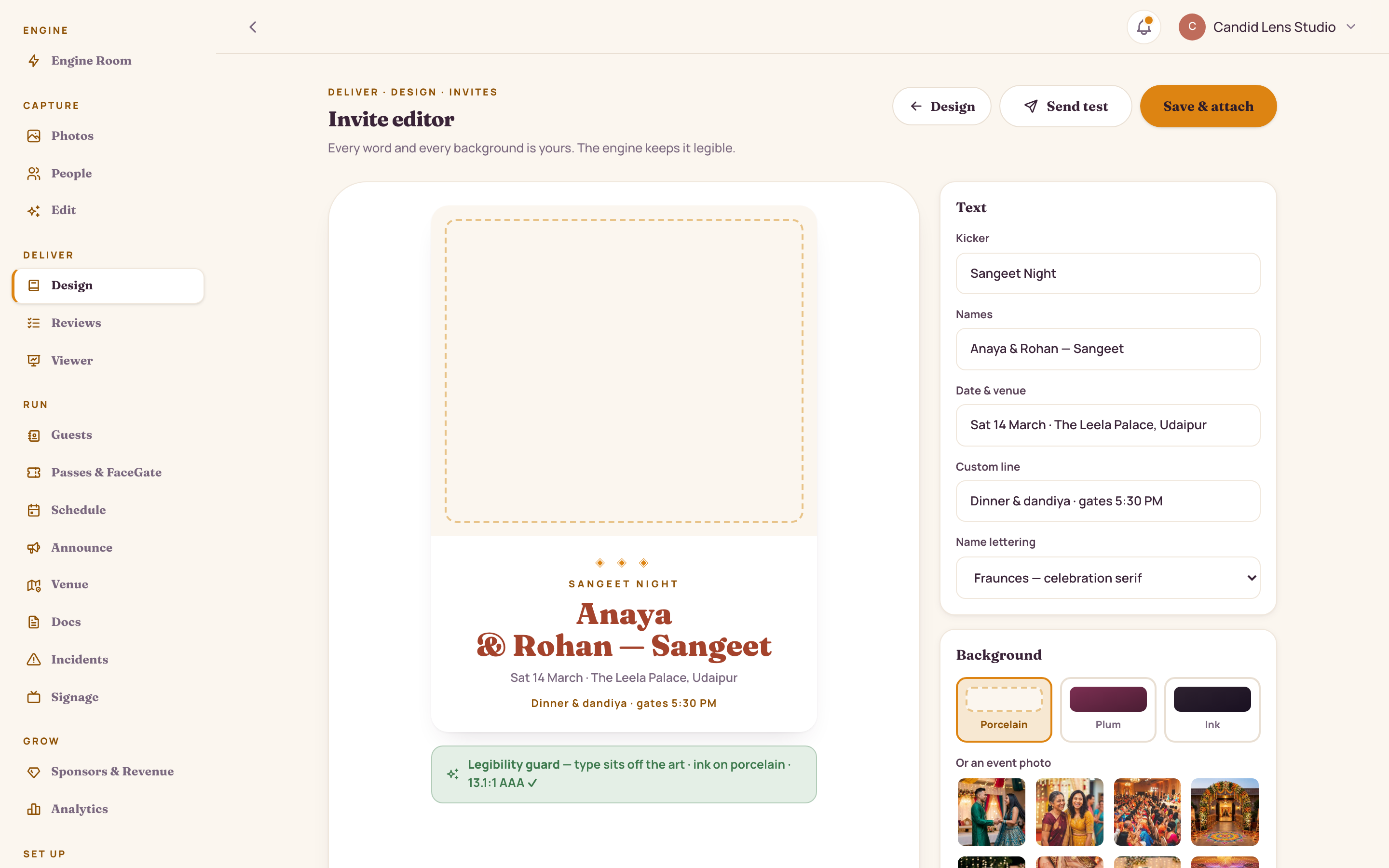
Type the names, choose a background, pick a layout — and watch the invite update live. A legibility guard reads the contrast on every change so an invite never ships hard to read on a phone.

app.studionity.com
Invite editor: a live invite preview beside text, background and layout controls, with a legibility guard confirming contrast
The invite editor — live preview, with the legibility guard reading contrast on every change.

Your words

Kicker, names, date and venue, a custom line — plus the lettering. Type it and the invite updates as you go.

Any background

Porcelain, plum or ink moods, an event photo, or upload your own monogram or haldi shot as the art.

The legibility guard

Every change is re-checked for contrast. Busy photo? The engine drops a scrim and flips the type — never below 4.5:1.

Deliver · Client review

The client picks. The book starts itself.

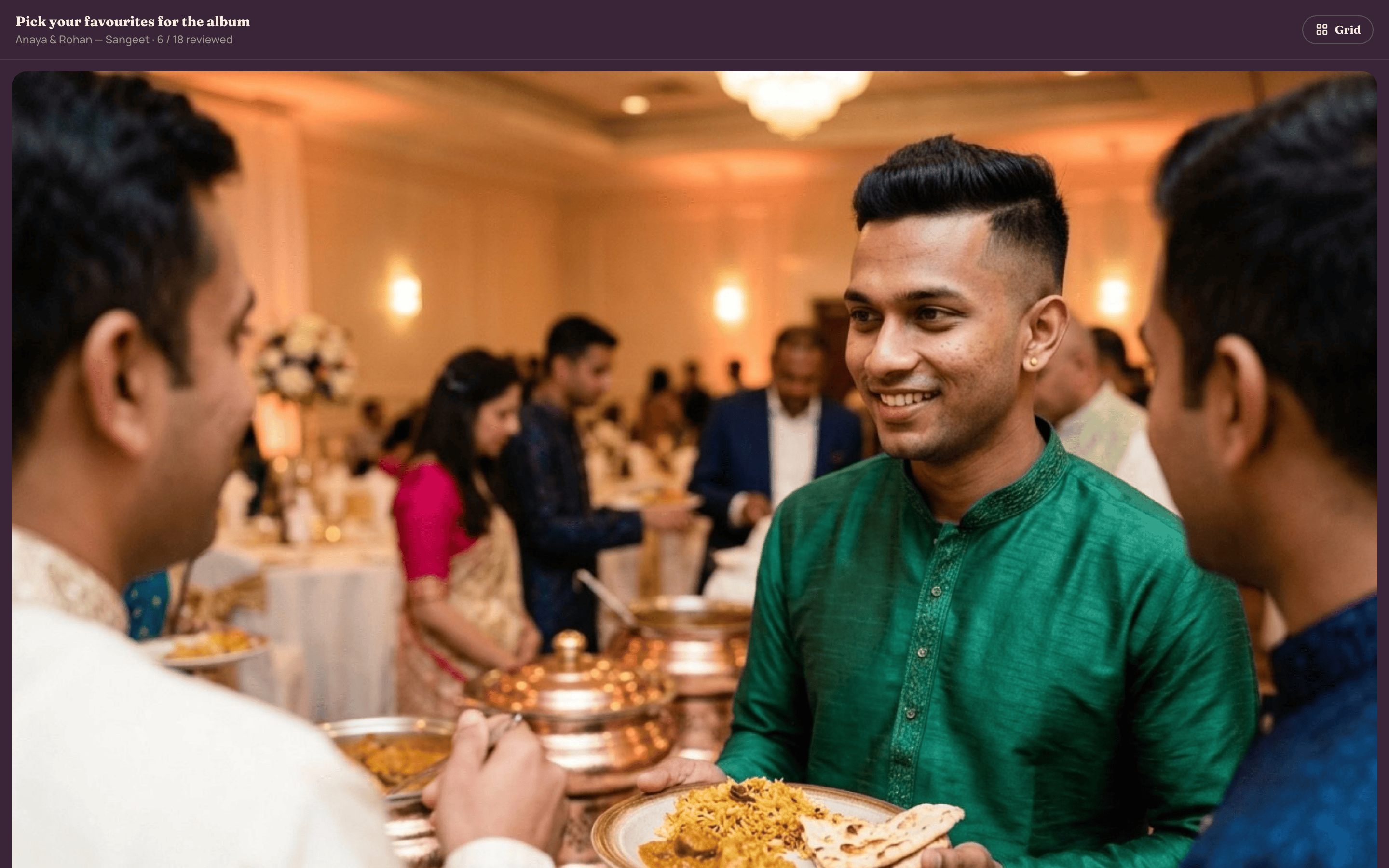
Send a review reel and your client approves or skips their way through it — one tap each, a progress bar counting down. Their favourites flow straight into the photo book. No exporting, no email chains, no "which ones did you want again?"

  • A swipe-simple approve / skip reel your client runs on their phone
  • Approved picks drop into the photo book automatically — no re-upload
  • Every approval tracked, so you always know where sign-off stands
app.studionity.com
Client review reel: a pick-your-favourites flow with approve and skip, a progress bar, and a strip of approved picks feeding the photo book
Client review reel — pick your favourites; the picks feed the book, no exporting.

Set up · Team & crew

Your crew and vendors, exactly scoped.

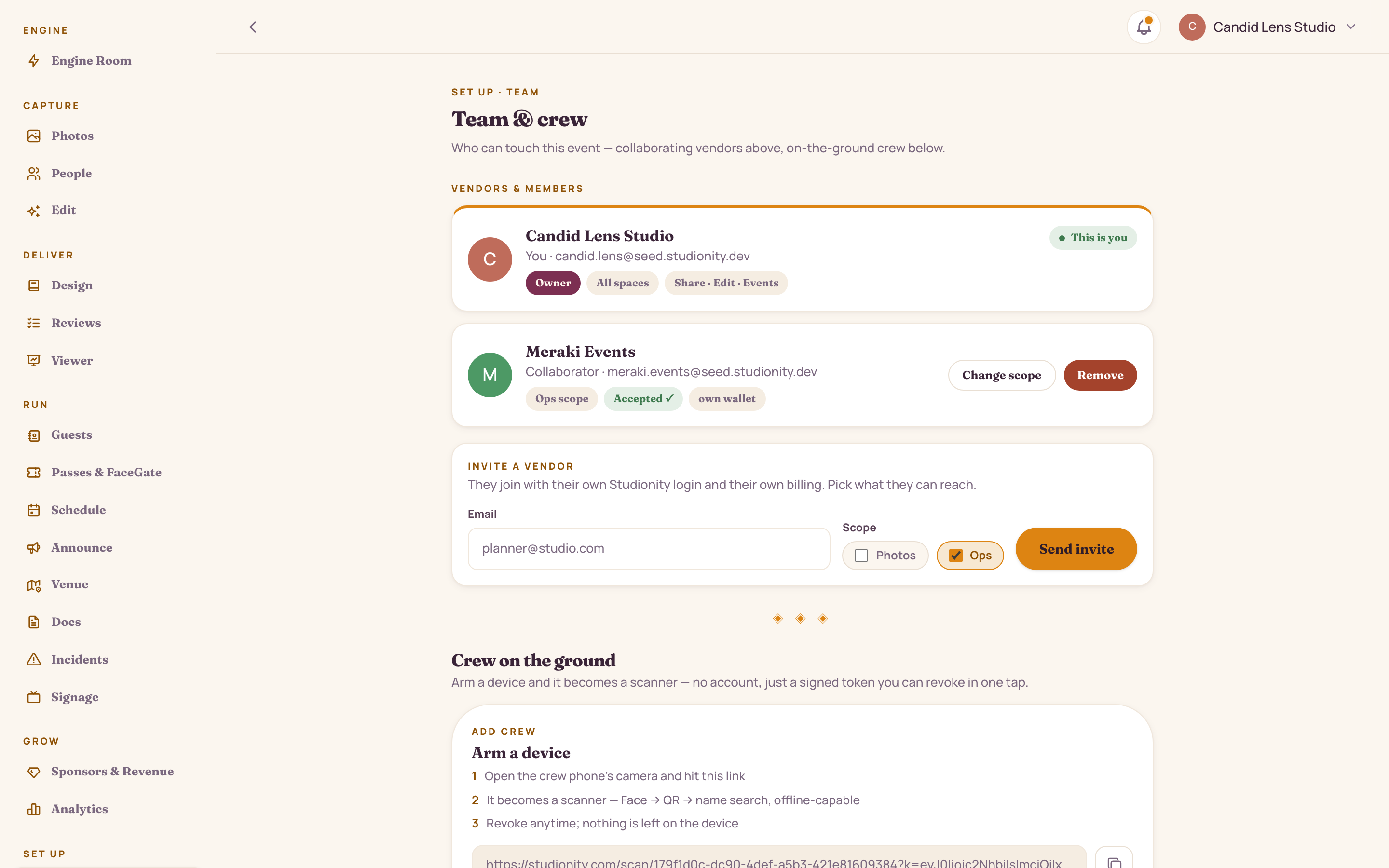
Bring in a second-shooter, an event manager or a design partner — each with their own login, their own billing, and only the access you grant. On the day, crew devices run on signed tokens, not accounts: arm a phone by scanning a code, revoke it in one tap.

  • Invite vendors with Photos, Ops or Full-event scope — change it anytime
  • Crew scan without accounts — signed, event-only tokens, revoked instantly
  • Every vendor pays from their own wallet; collaborating never mixes the money
app.studionity.com
Team and crew: vendor and member roster with scoped roles above, and a table of armed crew devices with revoke controls below
Team & crew — collaborating vendors above, armed gate and floor devices below.
Continue the tour · Chapter 04 / 06
Next: Running the night
← Previous: Photos that find you

See your event run itself.

The pilot is invite-only while we polish the engine with real celebrations. Tell us about your next event — we'll show you the whole night, live.

Connect with us WhatsApp us
Invite-only pilot · Made in India