wave
For guests · The guest app

Your night, in one link. No app to install.

A sangeet, a summit, an expo, a college fest, a launch or a birthday — guests open one link, with no download and no password to set up. One selfie, and their pass, their seat, their photos and the whole run of the night come to them. It opens right in the browser.

How photos find you →

Getting in

Join in under a minute.

Scan the invite, verify a contact, take one selfie. No download, no account — the whole flow runs in the browser, and returning guests are remembered.

1

Enter the event

Scan the QR on the invite, a table card or a poster — or type the invite code. Some events even allow a browse-only peek with no selfie at all.

2

Verify it's you

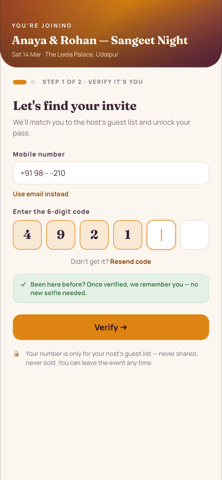
Confirm a mobile number or an email, then a six-digit code. Your number is only for the host's guest list — never shared, never sold — and you can leave the event any time.

3

One selfie, with consent

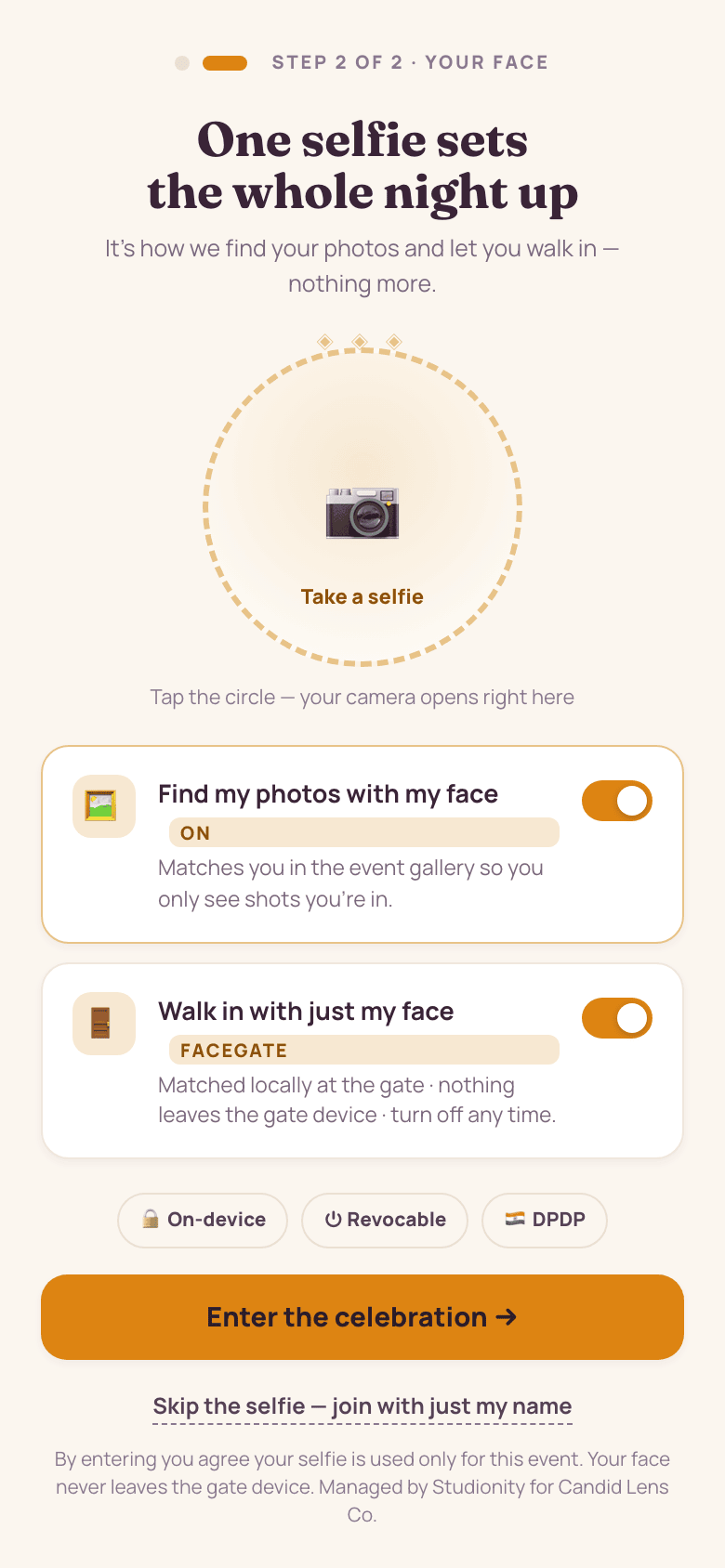
A single selfie sets up the whole night: it's how photos find you and how you walk in by face. Toggle each on or off, and skip the selfie to join with just your name.
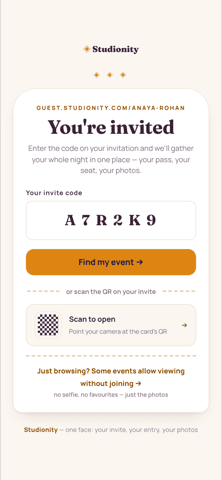
Guest entry screen on a phone: 'You're invited', a box to enter the invite code, a 'Find my event' button, a scan-the-QR option, and a 'just browsing?' view-without-joining link
Enter the code — or scan the QR
Guest join step one on a phone: 'Let's find your invite', mobile-number field with a use-email-instead option, a six-digit OTP entry, and a note that once verified you're remembered with no new selfie needed
Verify a mobile or email
Guest join step two on a phone: 'One selfie sets the whole night up', a camera circle, toggles to find photos by face and to walk in with FaceGate, and On-device / Revocable / DPDP consent badges
One selfie + consent

The home screen

The whole night, on one Tonight hub.

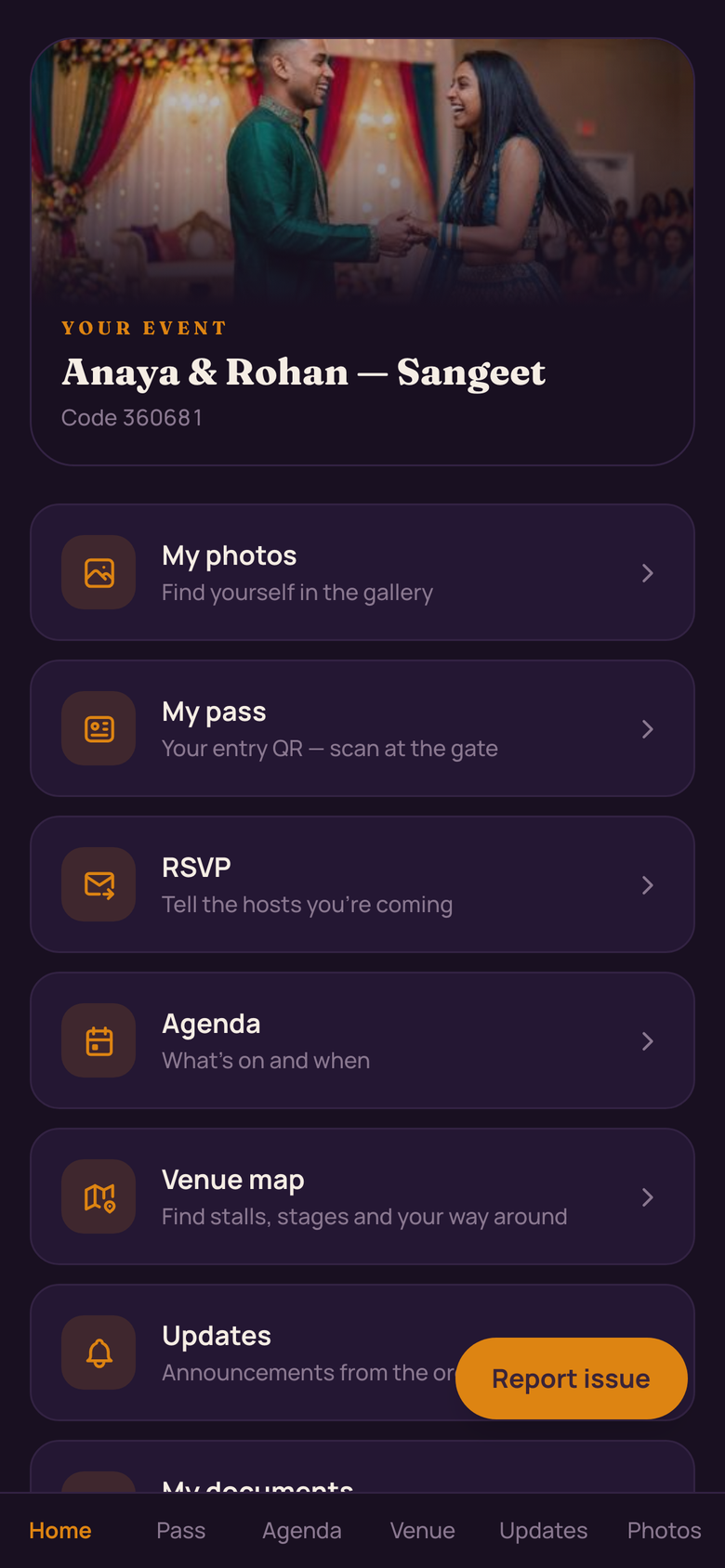
Where to go, the pass, the seat, the plan — the guest's home screen knows it all and quietly counts the photos of them as the night is shot.

Guest 'Tonight' home on a phone: a greeting by name, event date and venue, 'walk in with just your face — enrolled', an entry pass number, a photos-of-you count, and tiles for venue map, documents, connect and updates
Tonight — the home screen
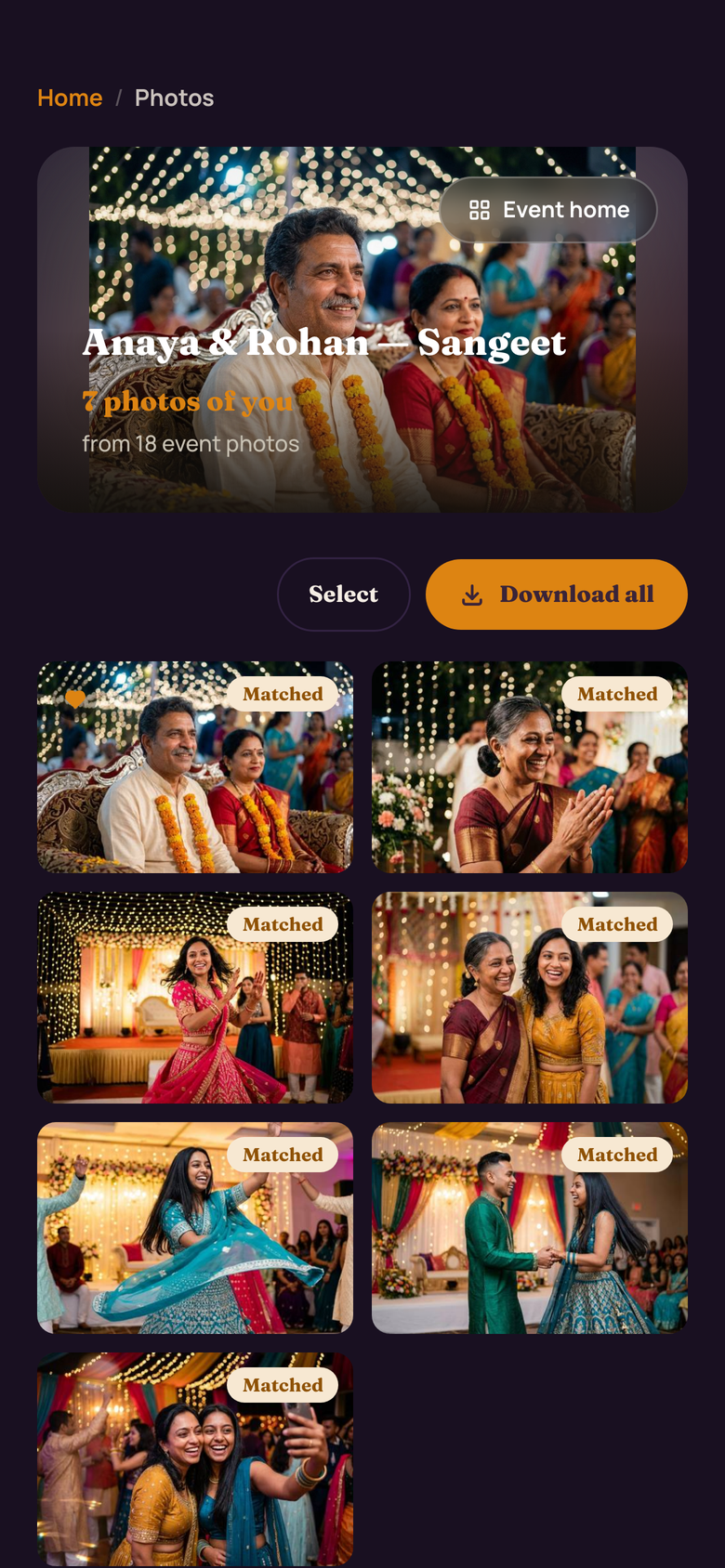
Guest photo gallery on a phone: 'Your night, found by your face', a count of photos of you so far, filters for just-mine, everyone's and named groups, and favourite hearts
Photos, found by your face
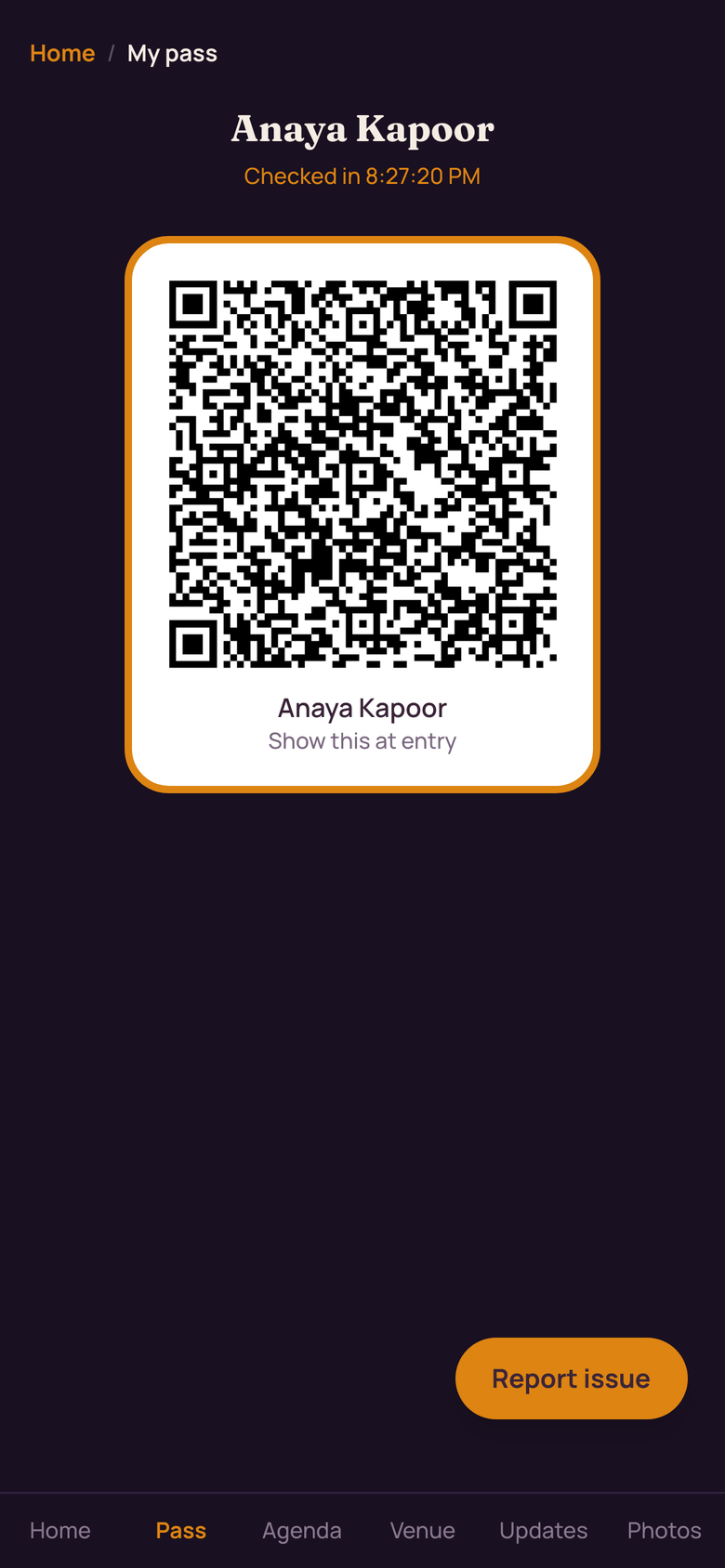
Guest digital pass on a phone: name, 'admit one' QR ticket with a pass number, gate opening time, seat and dinner, Apple Wallet and Google Wallet buttons, and 'or just walk in — your face is your pass'
Your pass — or just your face

At the door

Walk in with just your face.

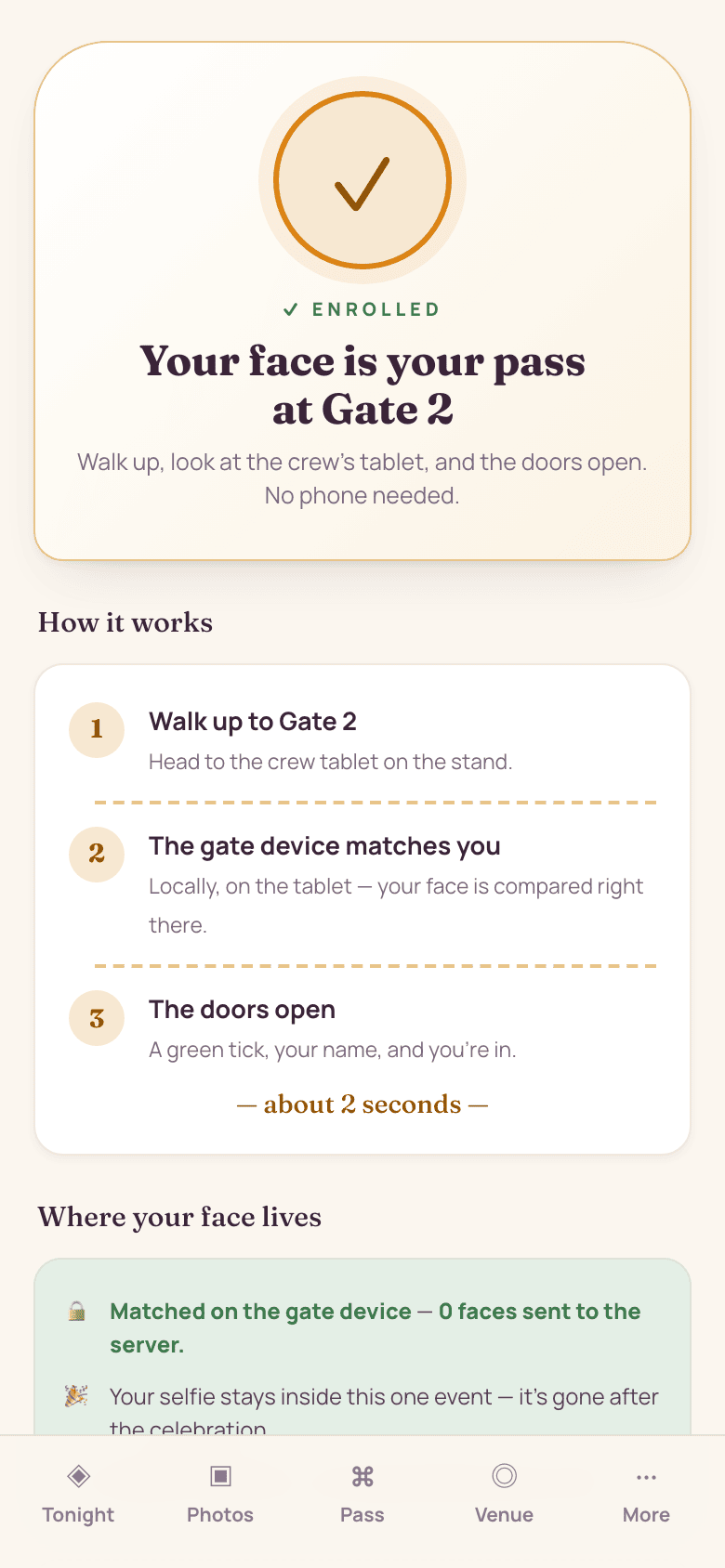
At events that switch FaceGate on, the guest looks at the crew's tablet and the doors open — no phone to fish out, no pass to find. The match happens on the gate device itself, so nothing is sent to a server just to say hello.

  • Matched at the door on the gate device — your face isn't streamed anywhere at entry.
  • The selfie stays inside that one event and is gone after it
  • Revoke face entry any time — one tap and it's off
  • Phone dead? The QR pass and a name search always work

Who can see photos of you

You see the photos your own face appears in — never the whole camera roll. Showing anyone the full gallery is a permission the host grants, not the default.

Guest FaceGate explainer on a phone: 'Your face is your pass at Gate 2', a three-step how-it-works, a note that the face is matched on the gate device and your face isn't streamed anywhere at entry, and buttons to retake the selfie or turn off face entry
FaceGate — your face is your pass
The plan in your pocket

Everything the night holds.

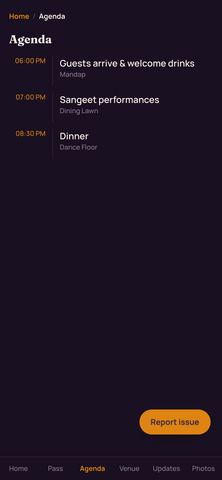
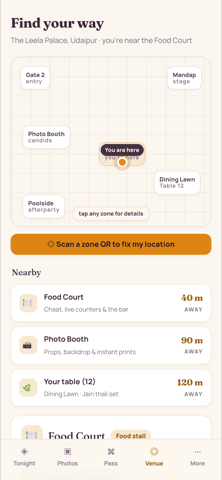
The run-of-show and a live venue map, always in the guest's pocket — and every update from the hosts lands the moment plans change.

Guest agenda on a phone: the night's moments as a timeline with times and locations — an earlier moment marked done, one 'up next', and later moments with venue pins — plus an add-to-calendar button
The run-of-show
Guest venue view on a phone: a zone map with a 'you are here' marker, a nearby list showing the food court, photo booth and the guest's table with distances, and a 'scan a zone QR to fix my location' option
Find your way, live
In one place

Documents, contacts and updates.

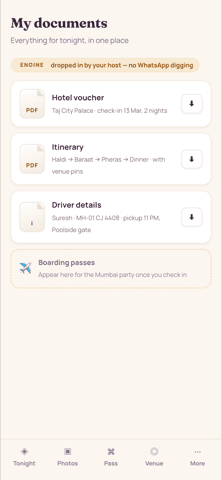
Travel docs dropped in by the host, contact-swapping by QR, and an announcements feed — no WhatsApp digging, and no spam.

Guest 'my documents' on a phone: hotel voucher, itinerary with venue pins, driver details and boarding passes, each downloadable, dropped in by the host
Docs, dropped in by the host
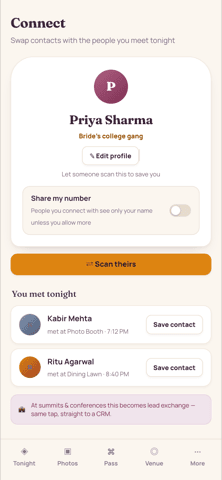
Guest connect on a phone: a personal QR card to swap contacts, a 'you met tonight' list of people met at named zones with save-contact buttons, and a note that at summits and conferences this becomes lead exchange into a CRM
Swap contacts — lead exchange at summits
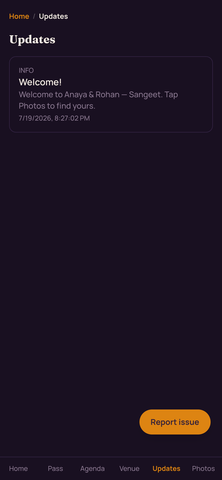
Guest updates on a phone: an announcements feed straight from the hosts with time stamps and a 'your photos are live' note, plus a reminder that announcements come from the hosts with no spam
Announcements from the hosts

Sponsors & help

A word from sponsors, and help when it's needed.

Sponsors get a proper page — a guests-only offer, a collection, an opt-in contact swap — which keeps the photo wall free for everyone. And one tap sends a lost-item, medical or access issue straight to the ops crew's board, not a group chat, where it's picked up in seconds.

  • Sponsor pages with guests-only offers and opt-in lead capture
  • The same surface carries brand placements at expos, fairs and launches
  • Reports route to the ops crew's board — picked up fast, not lost in chat
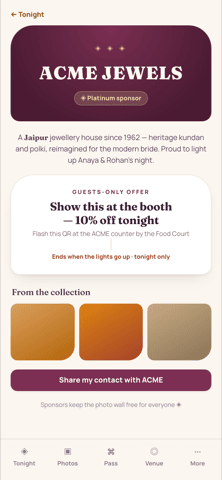
Guest sponsor page on a phone: a platinum sponsor's branded page with a short story, a guests-only offer to flash a QR at the booth, a collection preview, and a 'share my contact' opt-in
A sponsor page guests see
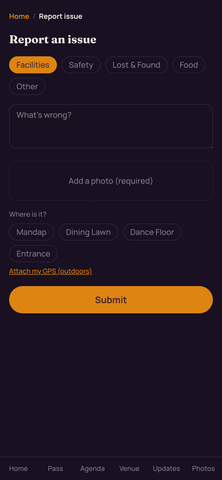
Guest 'report to crew' on a phone: category buttons for lost item, medical, access and other, a message box, an add-a-photo option, and a note that it goes straight to the ops crew's board rather than a group chat
Report straight to the crew
Everything, one tap away

One menu for the whole night.

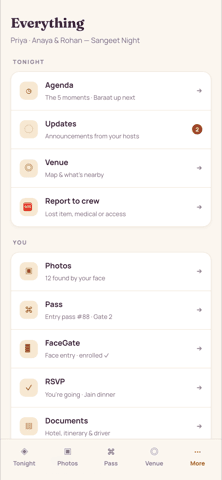
Tonight, You and Event — every surface the guest can reach, from their photos and pass to leaving the event, gathered in a single tidy hub.

Guest 'Everything' menu on a phone: a full nav hub grouped into Tonight (agenda, updates, venue, report), You (photos, pass, FaceGate, RSVP, documents, connect) and Event (host and sponsor details, leave-this-event)
The 'Everything' menu

Give every guest their night.

The pilot is invite-only while we polish the engine with real celebrations. Tell us about your next event — we'll walk you through the whole guest app, live.

Connect with us WhatsApp us
Invite-only pilot · Made in India